Mobile
Web
UI/UX IDEATION
Constant Contact
Constant Contact connects small businesses to over 300 third-party tools, from Shopify and Canva to Salesforce and Zoho. For many users, integrations are the reason they stay.
UI/UX
Prototyping
Redesign
Marketing
Industry
Web Design
Year
2023 - 2024
Redesigning the Integrations Experience at Constant Contact
The public-facing landing page relied on a mint green hero with a generic email signup form, decorative illustrations, and long scrolling sections explaining what integrations were. It felt more like a marketing brochure than a functional entry point. There was no search, no browsing structure, and no clear way for a user to find what they were actually looking for.
Inside the product, the experience was just as fragmented. Categories were inconsistent, the list had no prioritization, and the connection modals were visually mismatched across different third-party apps. The section felt like it had grown without direction, updated piece by piece over time with no cohesive system holding it together.
Mapping the Full Journey
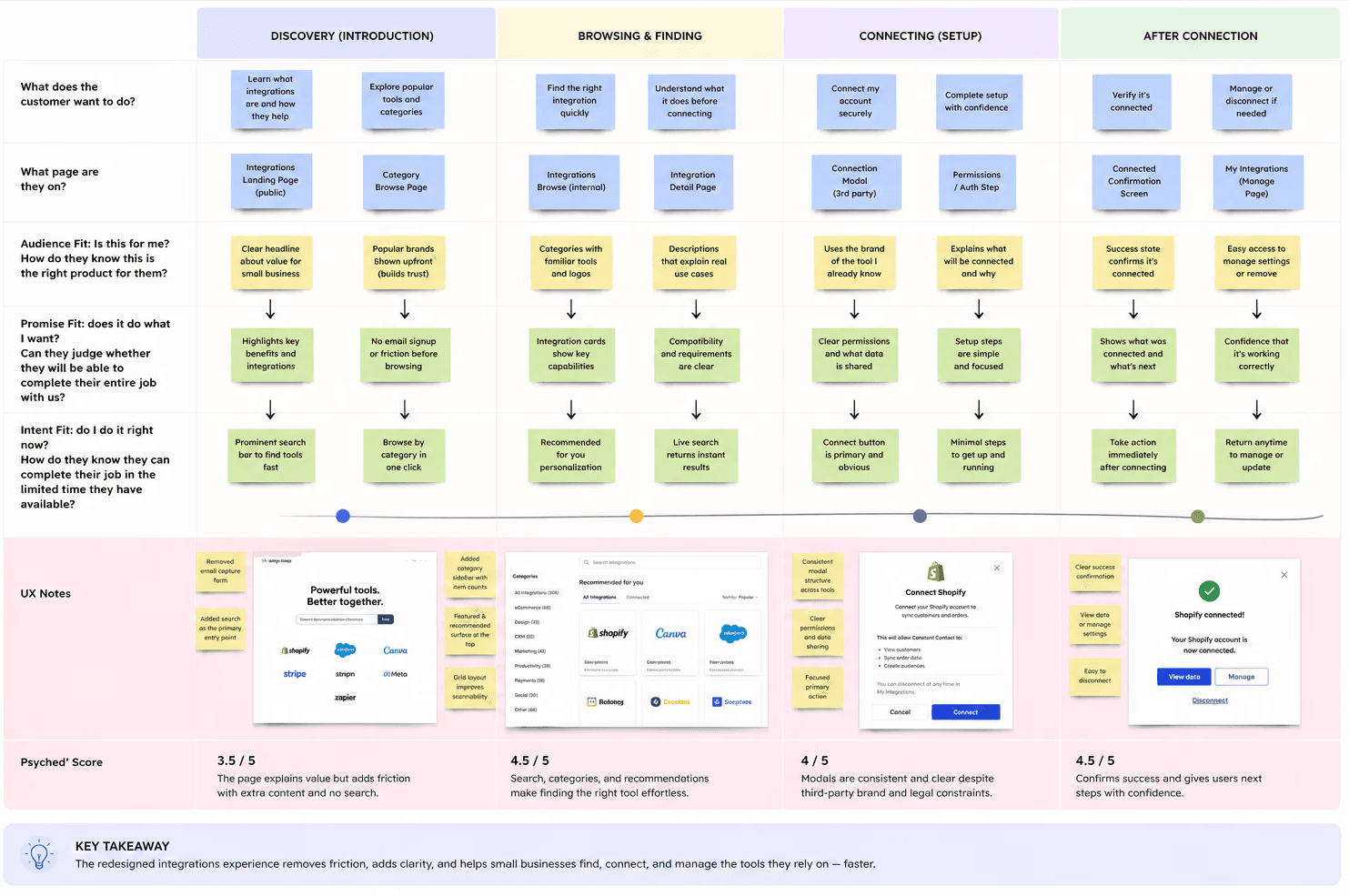
Before touching a single screen, the work started with mapping the end-to-end user journey across four phases: Discovery, Browsing, Connecting, and After Connection. The goal was simple: understand where users were losing confidence and why.
The pattern was clear. Users weren't disinterested in integrations. The experience was just failing them at the wrong moments. The landing page created friction before they could even browse. The internal directory buried relevant tools. The modals introduced brand inconsistencies that broke trust mid-flow.
Each phase was scored using a Psyched Score framework. Discovery scored lowest at 3.5 out of 5, confirming the biggest opportunity was at the very top of the funnel. That finding shaped every design decision that followed.
The team
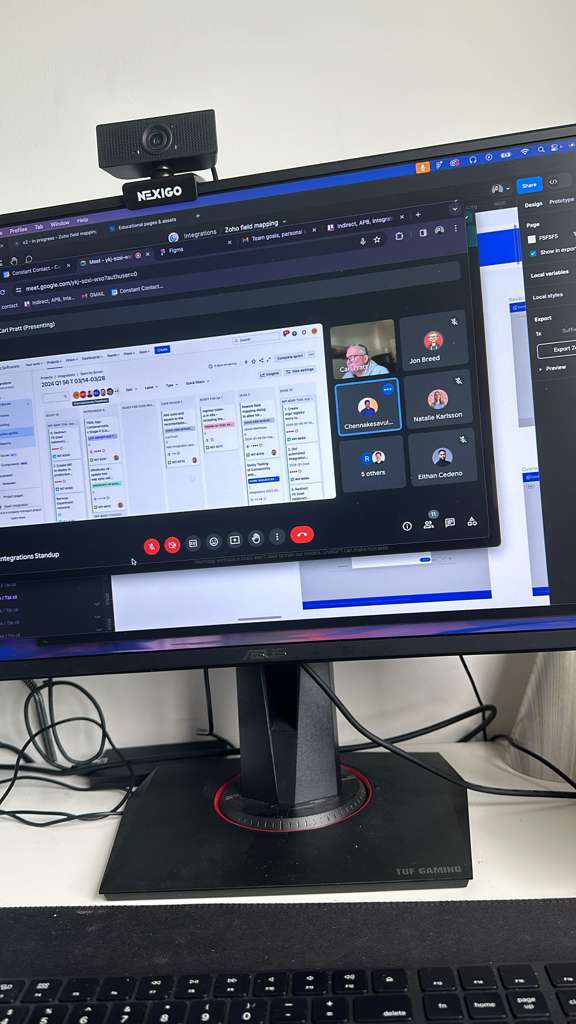
Design at Constant Contact was a team sport. Weekly integrations standups kept design, product, and engineering aligned across multiple workstreams simultaneously. Decisions were made in the open, with Figma files shared live, Jira tickets reviewed in real time, and stakeholders from across the org present to weigh in.
This cross-functional rhythm was what allowed the integrations redesign to move quickly without losing alignment on priorities or technical constraints.
Evaluating the Product Before Any Changes Were Made
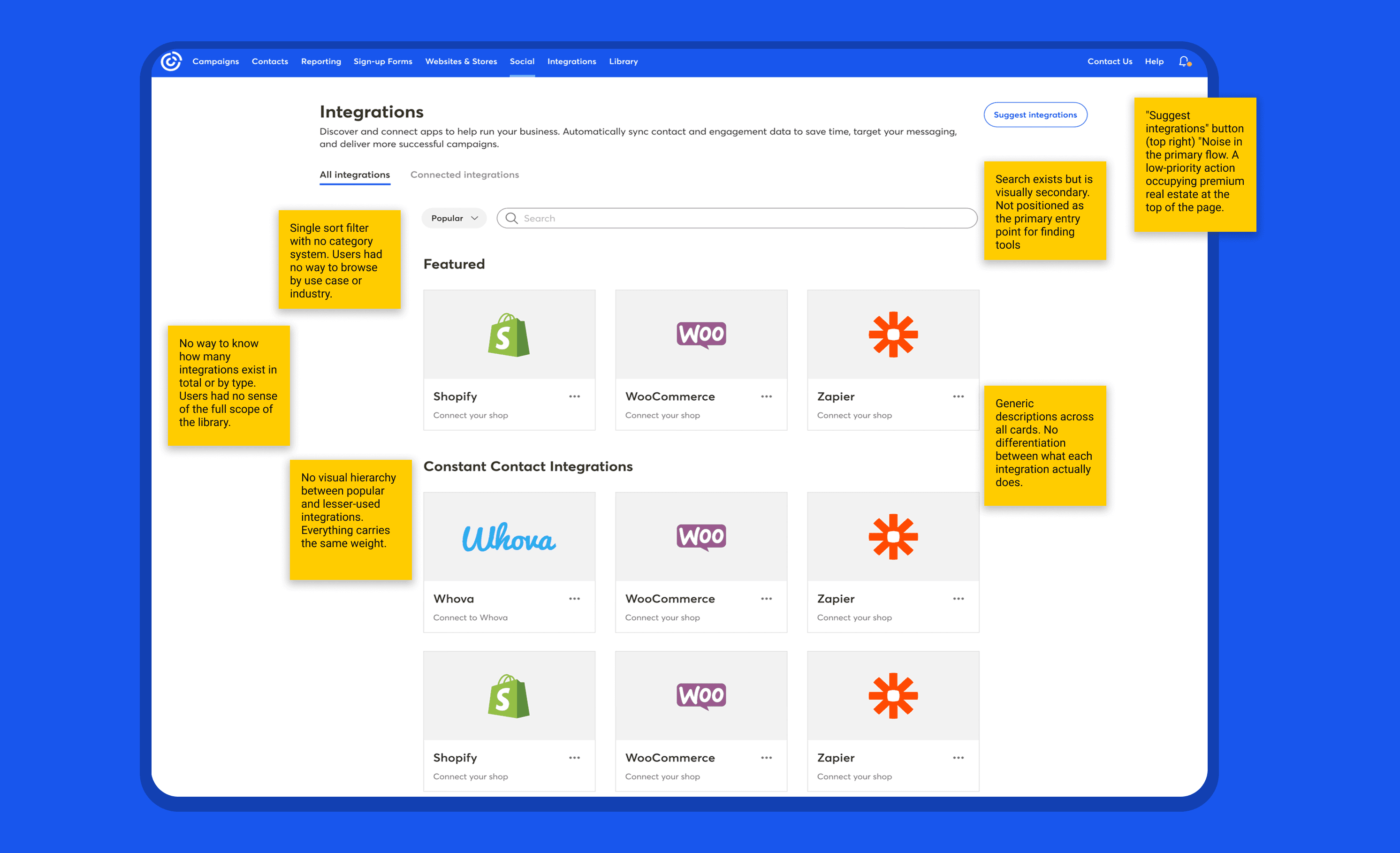
The public landing page led with a generic email signup form and long scrolling sections explaining what integrations even were. No search. No categories. No direct path to anything. Inside the product, integrations were listed without structure or prioritization. No filters, no featured tools, no way to see what was already connected. The section wasn't broken. It was just years behind.
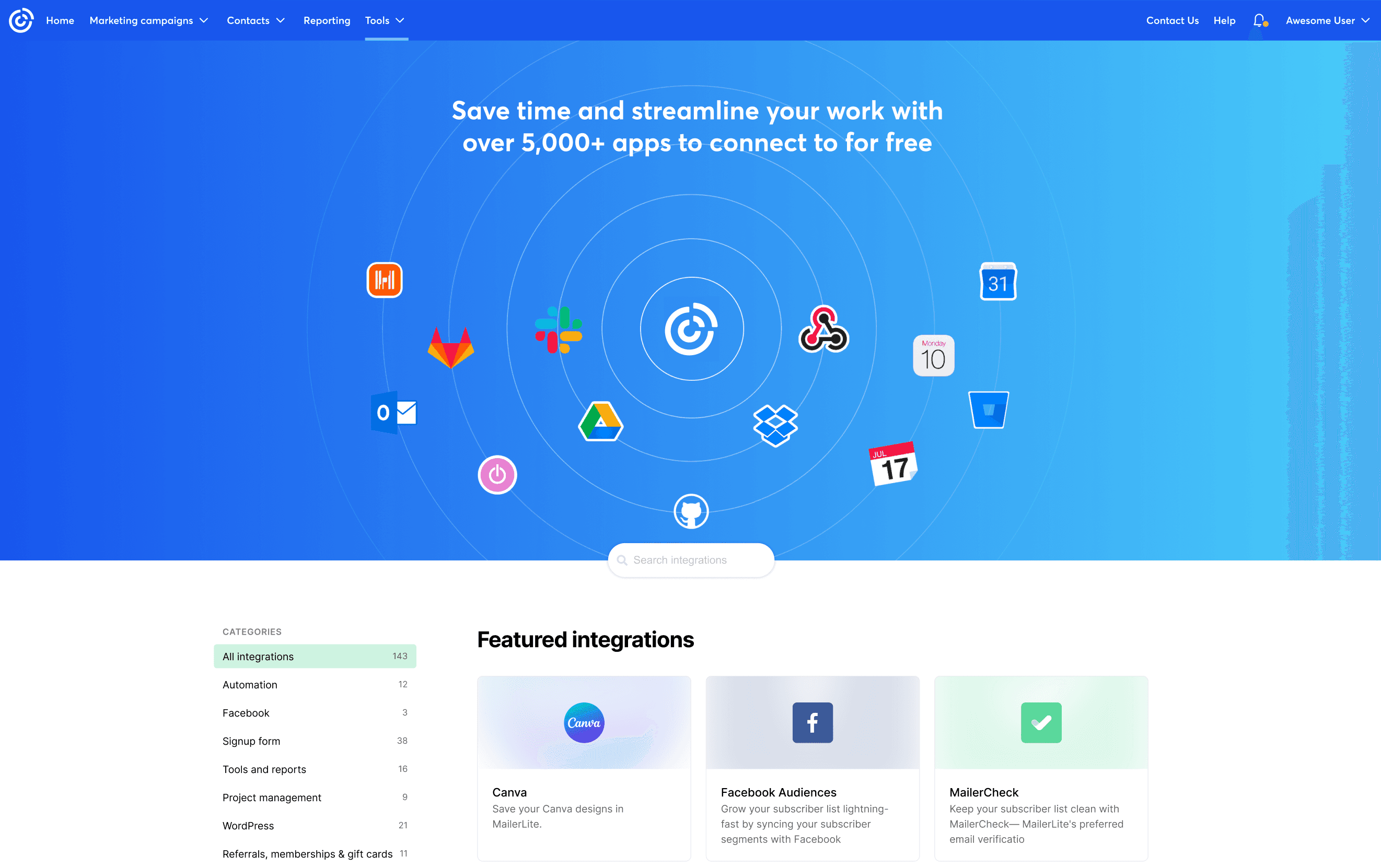
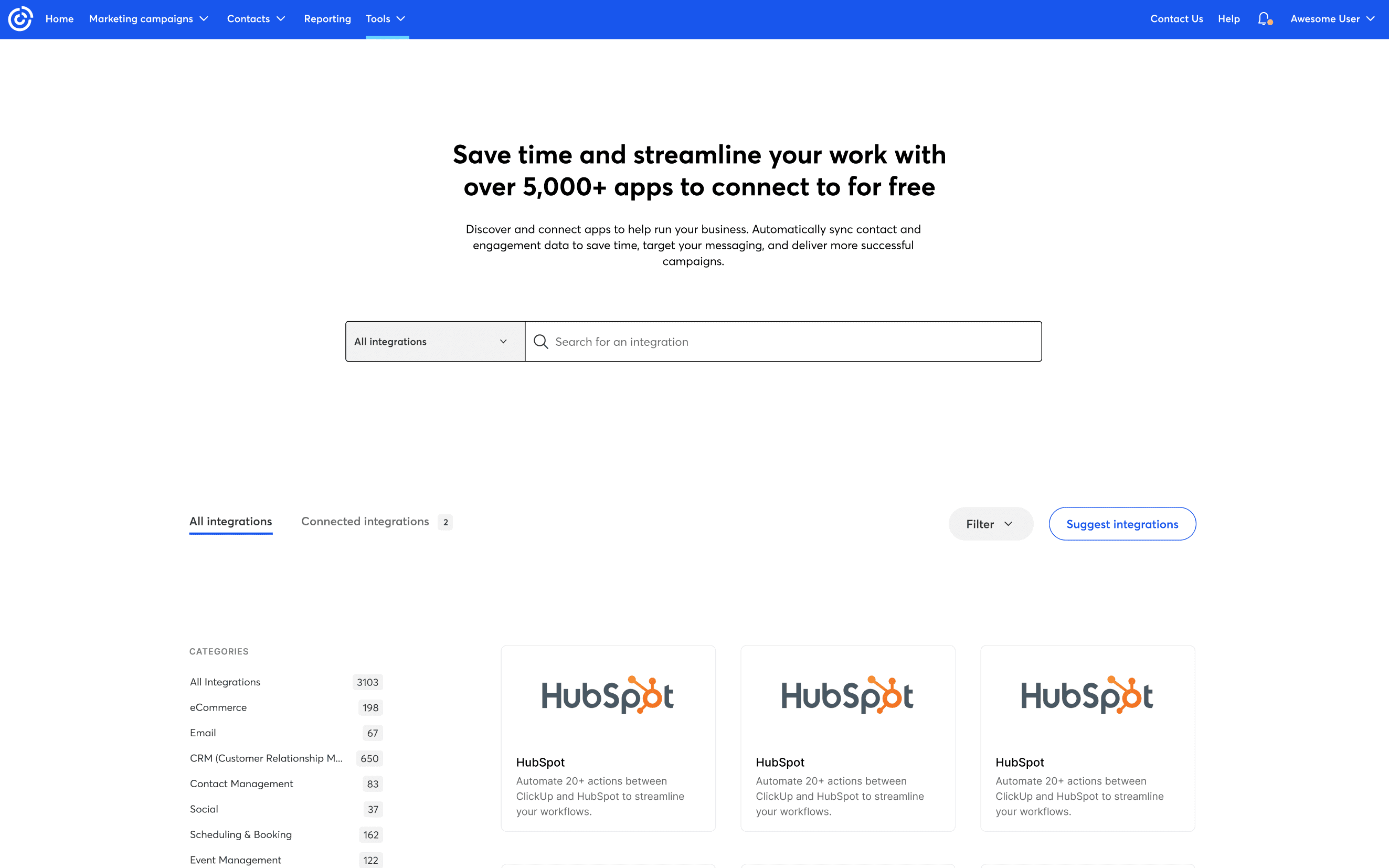
Not every direction made it to production. One concept led with an animated connection map that looked great but buried search below the fold. Another combined search and category filters into a single input that confused users in testing. Both taught us something. The logos built trust. The combined filter didn't. The final design kept what worked and cut the rest.
Design Explorations: What Didn't Make the Cut
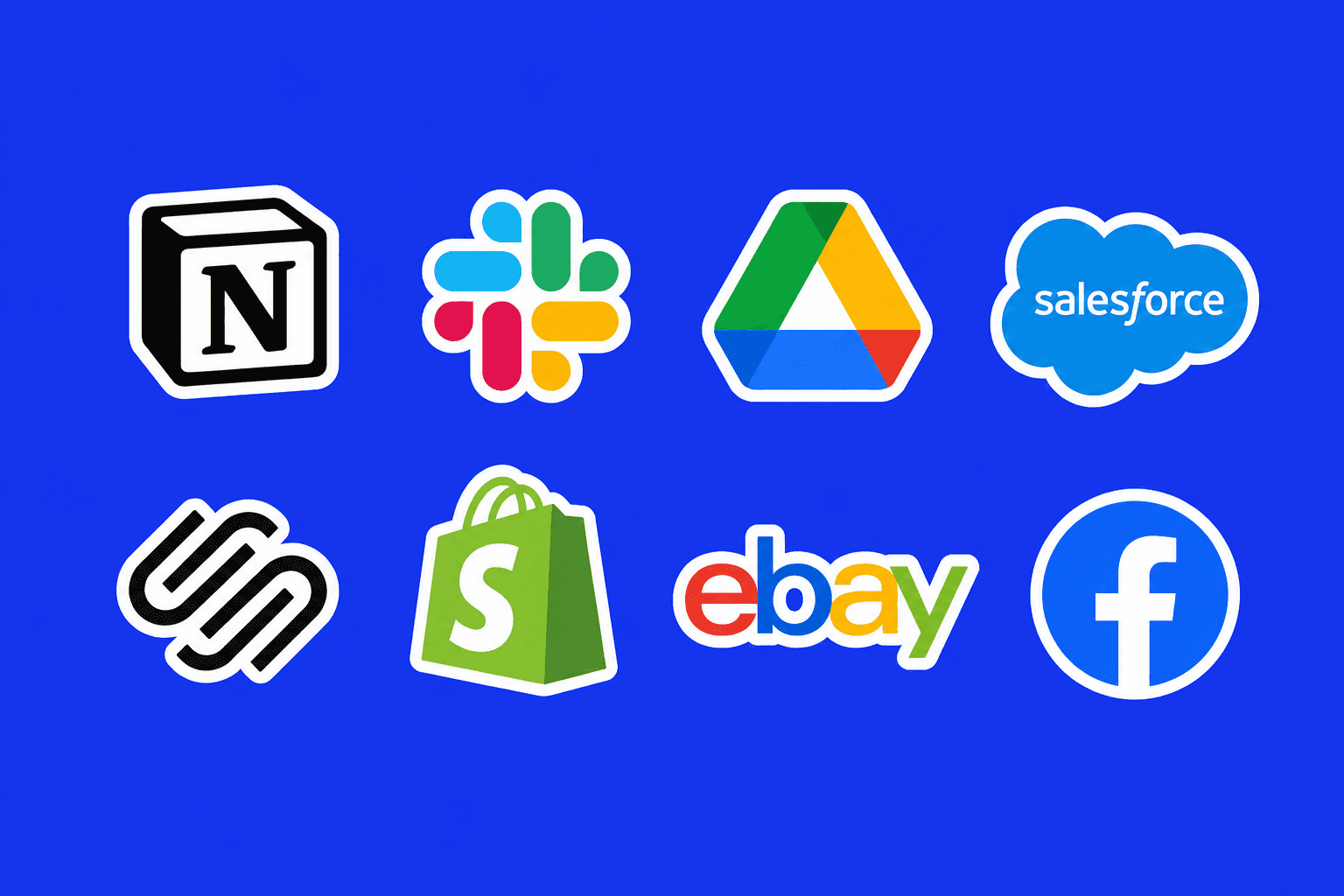
Working with third-party partners meant that certain visual and interaction decisions were non-negotiable. Brand colors, logo usage, and some modal content were dictated by each partner. The challenge was to absorb those constraints without letting them break the consistency of the overall experience.
The Constraints
From Discovery to Connection: The Full Redesign
The redesign covered every layer of the experience.
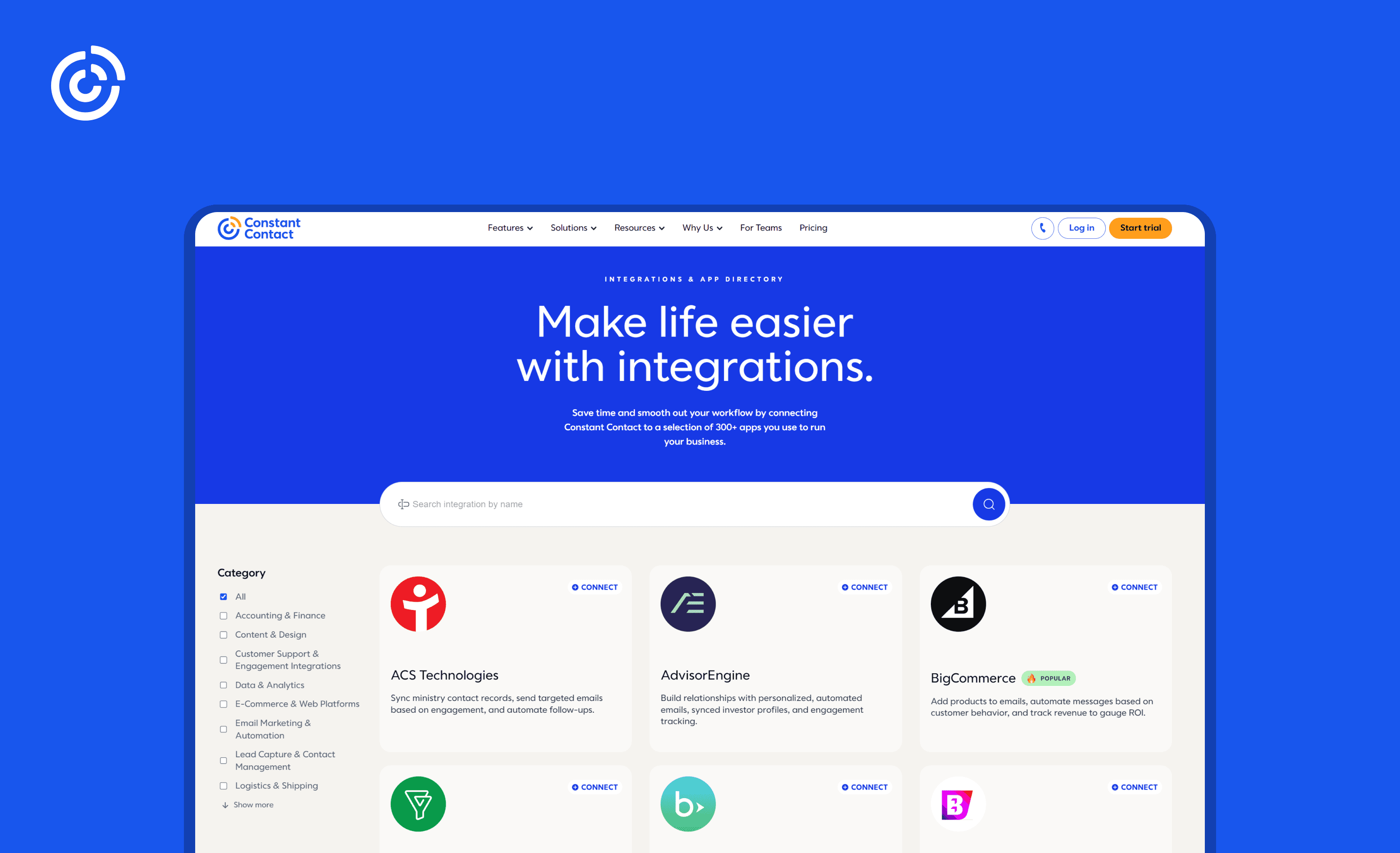
The public landing page was rebuilt around a bold hero with a clear headline, a prominent search bar, and a structured category sidebar. The decorative illustrations and email capture form were removed in favor of a direct browsing experience. Users could now find what they needed without reading through explanations of what integrations are.
Inside the product, the internal browse page was redesigned with a proper two-panel layout: a category sidebar with item counts on the left, and a prioritized grid on the right. Featured integrations were surfaced at the top. A "Recommended for you" filter and a live search bar gave users two fast paths to the right tool. Connected and available integrations were separated into clear tabs.
The modals were the most technically constrained part of the work. Because each integration connects to a third-party platform with its own brand guidelines and legal requirements, the design space was limited. The goal was to create a consistent, polished connection flow that felt intentional regardless of which app a user was setting up.
From Friction to Flow: What the Redesign Produced
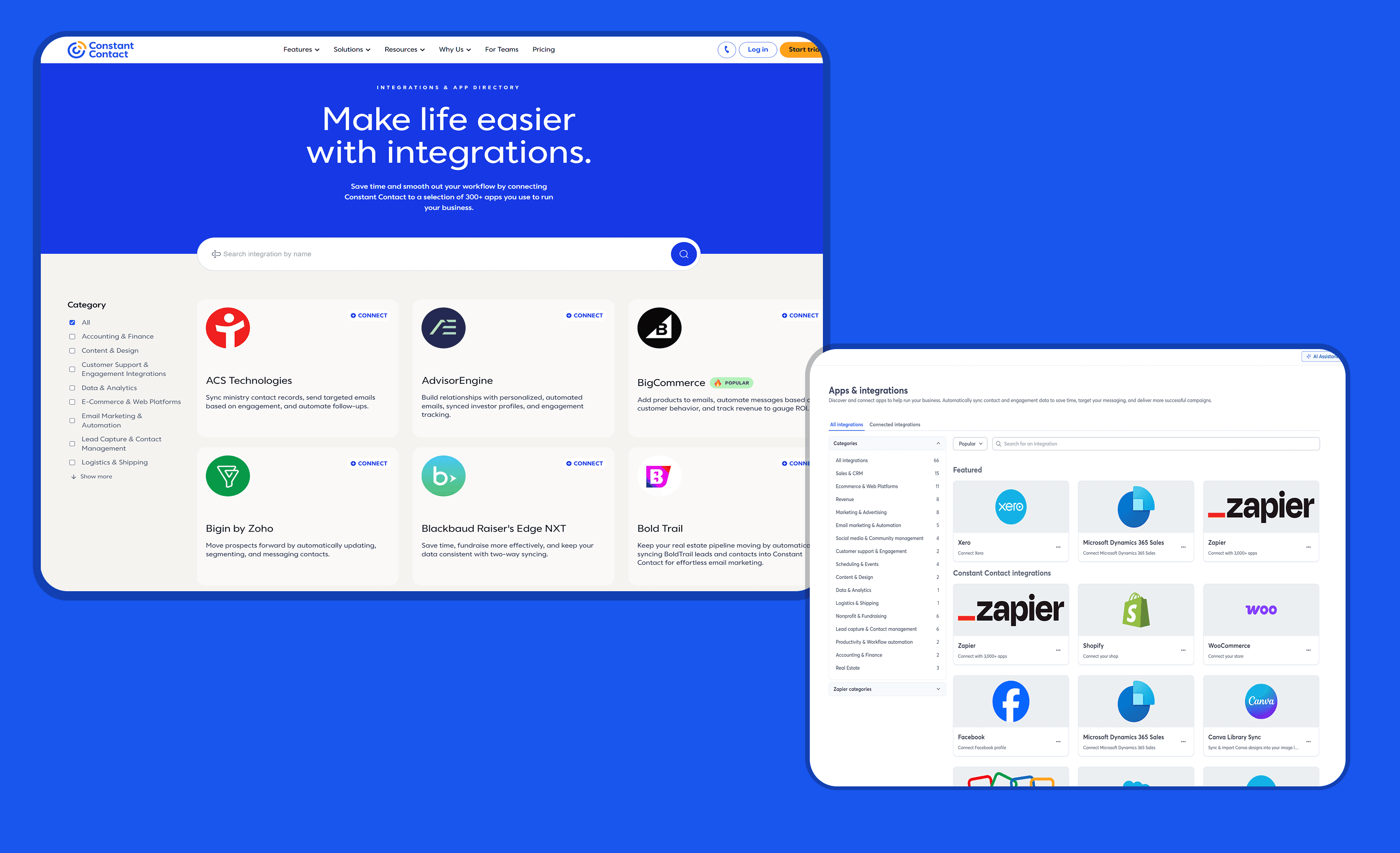
A section that finally felt like it belonged to the product. The before and after speak for themselves: a mint green brochure page with no search became a clean, structured directory. A flat, inconsistent internal list became a prioritized, filterable marketplace.
Internal signals pointed to stronger engagement across the integrations section, with users spending more time browsing categories and completing connection flows at a higher rate than before.
Partner integrations became easier to find, and the reduction in friction across the connection flow made the experience feel less like a technical task and more like a natural part of the product. The integrations experience went from something users had to figure out to something that simply worked.
A Word from the Team
"I can vouch for Eithan. I worked with him on feature work at Constant Contact. He showed impressive understanding of clean UI accompanied by effective UX patterns, delivering multiple projects and assisting on many high priority initiatives. You'd be getting a lot of designer for that price."
UI/UX
Prototyping
Redesign
Web Design
Constant Contact
Constant Contact connects small businesses to over 300 third-party tools, from Shopify and Canva to Salesforce and Zoho. For many users, integrations are the reason they stay.
Industry
Marketing
Year
2023-2024
Redesigning the Integrations Experience at Constant Contact
The public-facing landing page relied on a mint green hero with a generic email signup form, decorative illustrations, and long scrolling sections explaining what integrations were. It felt more like a marketing brochure than a functional entry point. There was no search, no browsing structure, and no clear way for a user to find what they were actually looking for.
Inside the product, the experience was just as fragmented. Categories were inconsistent, the list had no prioritization, and the connection modals were visually mismatched across different third-party apps. The section felt like it had grown without direction, updated piece by piece over time with no cohesive system holding it together.
Mapping the Full Journey
Before touching a single screen, the work started with mapping the end-to-end user journey across four phases: Discovery, Browsing, Connecting, and After Connection. The goal was simple: understand where users were losing confidence and why.
The pattern was clear. Users weren't disinterested in integrations. The experience was just failing them at the wrong moments. The landing page created friction before they could even browse. The internal directory buried relevant tools. The modals introduced brand inconsistencies that broke trust mid-flow.
Each phase was scored using a Psyched Score framework. Discovery scored lowest at 3.5 out of 5, confirming the biggest opportunity was at the very top of the funnel. That finding shaped every design decision that followed.
The team
Design at Constant Contact was a team sport. Weekly integrations standups kept design, product, and engineering aligned across multiple workstreams simultaneously. Decisions were made in the open, with Figma files shared live, Jira tickets reviewed in real time, and stakeholders from across the org present to weigh in.
This cross-functional rhythm was what allowed the integrations redesign to move quickly without losing alignment on priorities or technical constraints.
Design at Constant Contact was a team sport. Weekly integrations standups kept design, product, and engineering aligned across multiple workstreams simultaneously. Decisions were made in the open, with Figma files shared live, Jira tickets reviewed in real time, and stakeholders from across the org present to weigh in.
Evaluating the Product Before Any Changes Were Made
The public landing page led with a generic email signup form and long scrolling sections explaining what integrations even were. No search. No categories. No direct path to anything. Inside the product, integrations were listed without structure or prioritization. No filters, no featured tools, no way to see what was already connected. The section wasn't broken. It was just years behind.
Not every direction made it to production. One concept led with an animated connection map that looked great but buried search below the fold. Another combined search and category filters into a single input that confused users in testing. Both taught us something. The logos built trust. The combined filter didn't. The final design kept what worked and cut the rest.
Design Explorations: What Didn't Make the Cut
Design Explorations: What Didn't Make the Cut
Working with third-party partners meant that certain visual and interaction decisions were non-negotiable. Brand colors, logo usage, and some modal content were dictated by each partner. The challenge was to absorb those constraints without letting them break the consistency of the overall experience.
Working with third-party partners meant that certain visual and interaction decisions were non-negotiable. Brand colors, logo usage, and some modal content were dictated by each partner. The challenge was to absorb those constraints without letting them break the consistency of the overall experience.
The Constraints
The Constraints
From Discovery to Connection: The Full Redesign
The redesign covered every layer of the experience.
The public landing page was rebuilt around a bold hero with a clear headline, a prominent search bar, and a structured category sidebar. The decorative illustrations and email capture form were removed in favor of a direct browsing experience. Users could now find what they needed without reading through explanations of what integrations are.
Inside the product, the internal browse page was redesigned with a proper two-panel layout: a category sidebar with item counts on the left, and a prioritized grid on the right. Featured integrations were surfaced at the top. A "Recommended for you" filter and a live search bar gave users two fast paths to the right tool. Connected and available integrations were separated into clear tabs.
The modals were the most technically constrained part of the work. Because each integration connects to a third-party platform with its own brand guidelines and legal requirements, the design space was limited. The goal was to create a consistent, polished connection flow that felt intentional regardless of which app a user was setting up.
From Friction to Flow: What the Redesign Produced
A section that finally felt like it belonged to the product. The before and after speak for themselves: a mint green brochure page with no search became a clean, structured directory. A flat, inconsistent internal list became a prioritized, filterable marketplace.
Internal signals pointed to stronger engagement across the integrations section, with users spending more time browsing categories and completing connection flows at a higher rate than before.
Partner integrations became easier to find, and the reduction in friction across the connection flow made the experience feel less like a technical task and more like a natural part of the product. The integrations experience went from something users had to figure out to something that simply worked.
A Word from the Team
"I can vouch for Eithan. I worked with him on feature work at Constant Contact. He showed impressive understanding of clean UI accompanied by effective UX patterns, delivering multiple projects and assisting on many high priority initiatives. You'd be getting a lot of designer for that price."